My 'quake' Ghostty terminal
After 10 years, I finally retired iTerm as my main terminal. After a few months of trying, I got to a Ghostty config I enjoy using. It opens with my main shortcut without the quick terminal, which doesn't support native tabs, and I use native tabs to keep one session per tab.
What annoyed me the most was a useless top row that only said 'zsh'. Whatever I tried, it stayed there, but after a while I got it the way I wanted. It works well and is faster than iTerm was. Here's my current config:
zsh
/bin/zsh -l -c '"$HOME"/.tmux/tmx'
false
JetBrains Mono
12
20%
block
20%
true
999
45
false
0
0
false
background
true
always
tabs
hidden
hidden
no-title
global:shift+cmd+t=toggle_visibility
ctrl+a>n=next_tab
ctrl+a>p=previous_tab
super+r=reload_config
0=#141414
8=#666666
1=#f38ba8
9=#f38ba8
2=#a6e3a1
10=#a6e3a1
3=#f9e2af
11=#f9e2af
4=#89b4fa
12=#89b4fa
5=#cba6f7
13=#cba6f7
6=#94e2d5
14=#94e2d5
7=#cccccc
15=#cccccc
#000000
0.9
20
#cccccc
#cccccc
#282828
#cccccc
PS: the GitHub version has more in it, because I'm testing everything that can improve my workflow.
This only works with zsh, tmx, my whole tmux config and all its integrations. I'm not a tmux expert, but I think this is the part that did the job:
# Enable terminal title setting
# Send user@host and the session name (#S) up to Ghostty as the window title
This config is also available here.
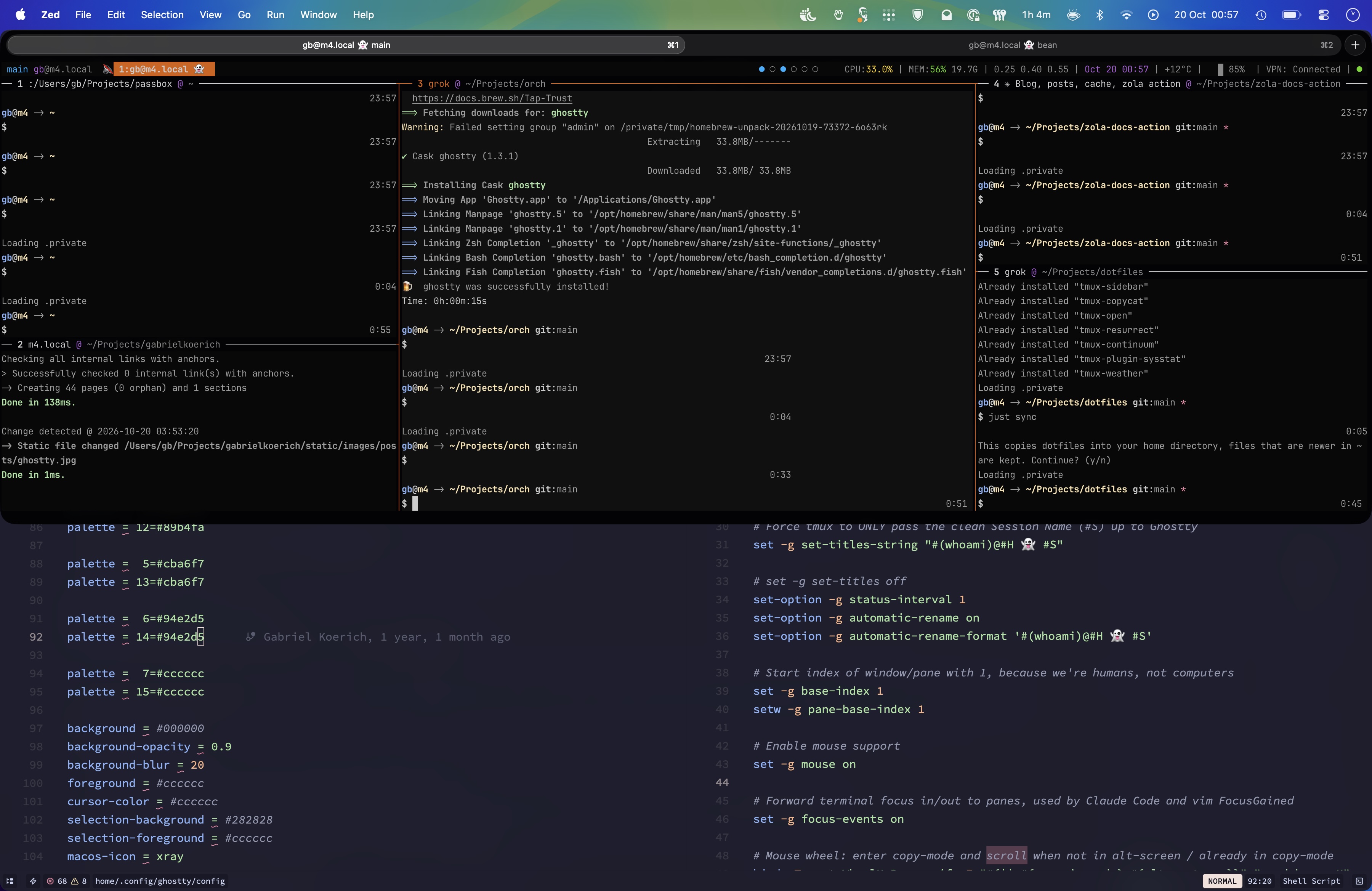
It looks like this, just the way my old iTerm setup looked:
If you want to see my whole setup, my dotfiles repo has everything.
This feels like when I retired Sublime Text for Zed 2 years ago.
Comments